Inside the WOCOM Business Portal: Dashboard, Call Routing and Call History
A phone system you run yourself
Business phone systems used to need a technician for every change. Want the phones to ring differently on Saturday? Log a request and wait. A WOCOM Business line is run from one web portal instead, and the three screens below are where you will spend your time.
Dashboard: your day at a glance
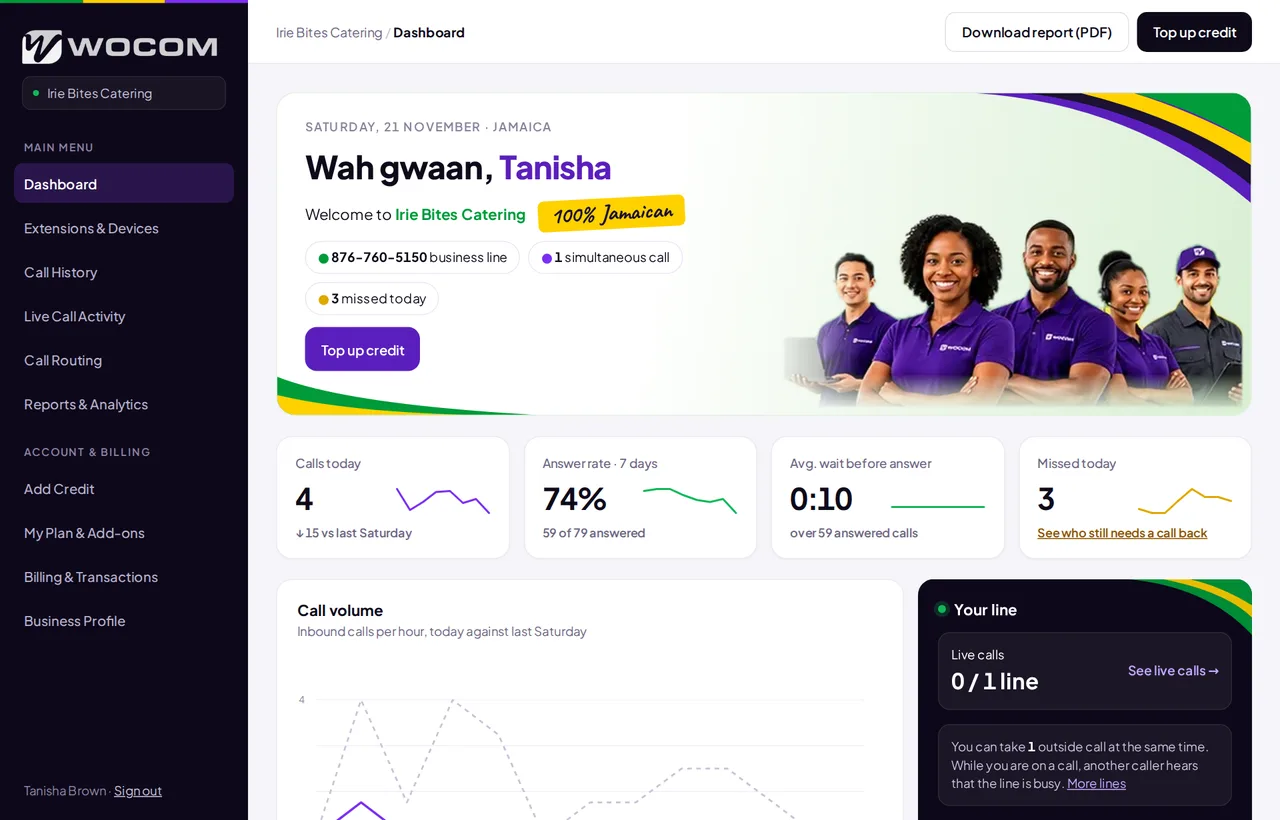
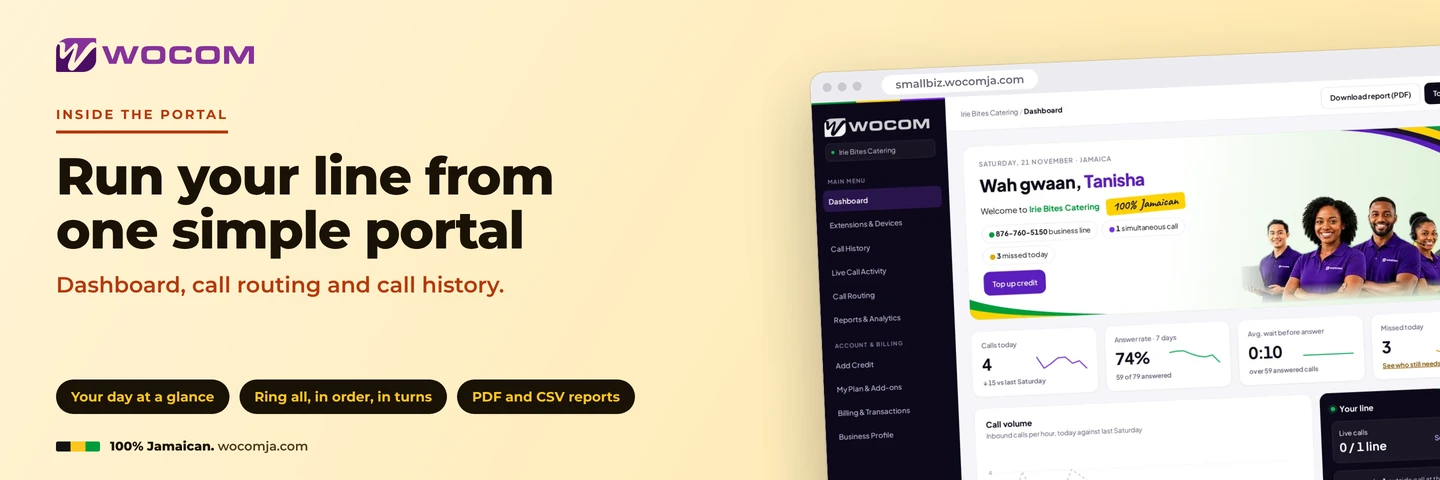
The dashboard, the first thing you see when you sign in.
The dashboard greets you when you sign in, and yes, it says "Wah gwaan". It shows the figures a small business owner wants first:
- Calls today, compared with the same day last week.
- Answer rate. How many of your customers' calls were actually answered.
- How long customers wait before someone picks up.
- Missed today, with a link to see who still needs a call back.
There is a live view of calls in progress, and you can download a PDF report at any time. If you have never measured your phone before, the answer rate alone is an eye-opener.
Call routing: decide how every call finds you
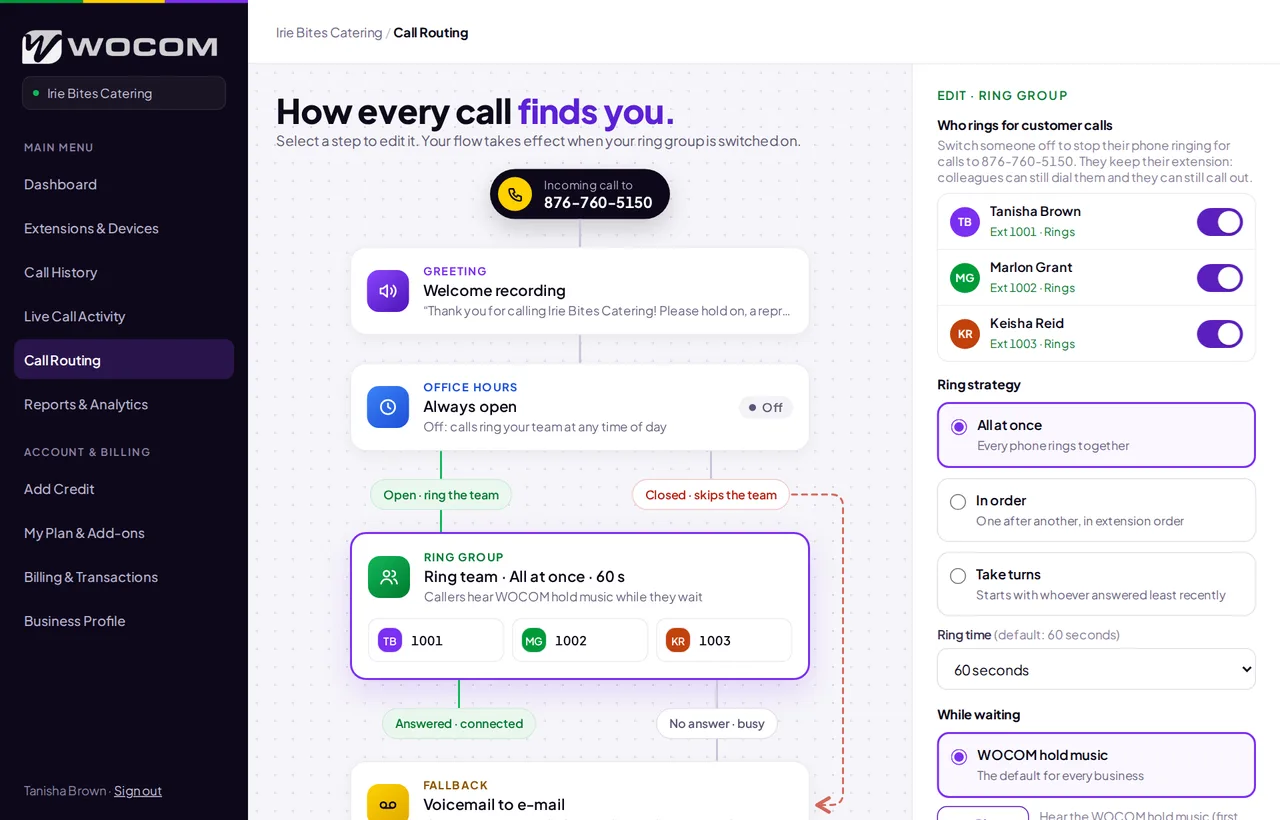
Call routing, drawn as a picture you can follow.
Call routing is shown as a picture you can follow from top to bottom. A call comes in to your number. Your welcome recording plays. Your office hours decide what happens next. Then your ring group rings.
You choose the ring strategy:
- All at once. Every phone rings together.
- In order. One after another.
- Take turns. Calls are shared around the team.
When you are closed, callers are sent straight to voicemail. You can change any of this in seconds, with no technician and no waiting. We explain how to choose in one business number that rings your whole team.
Call history: never lose a customer call
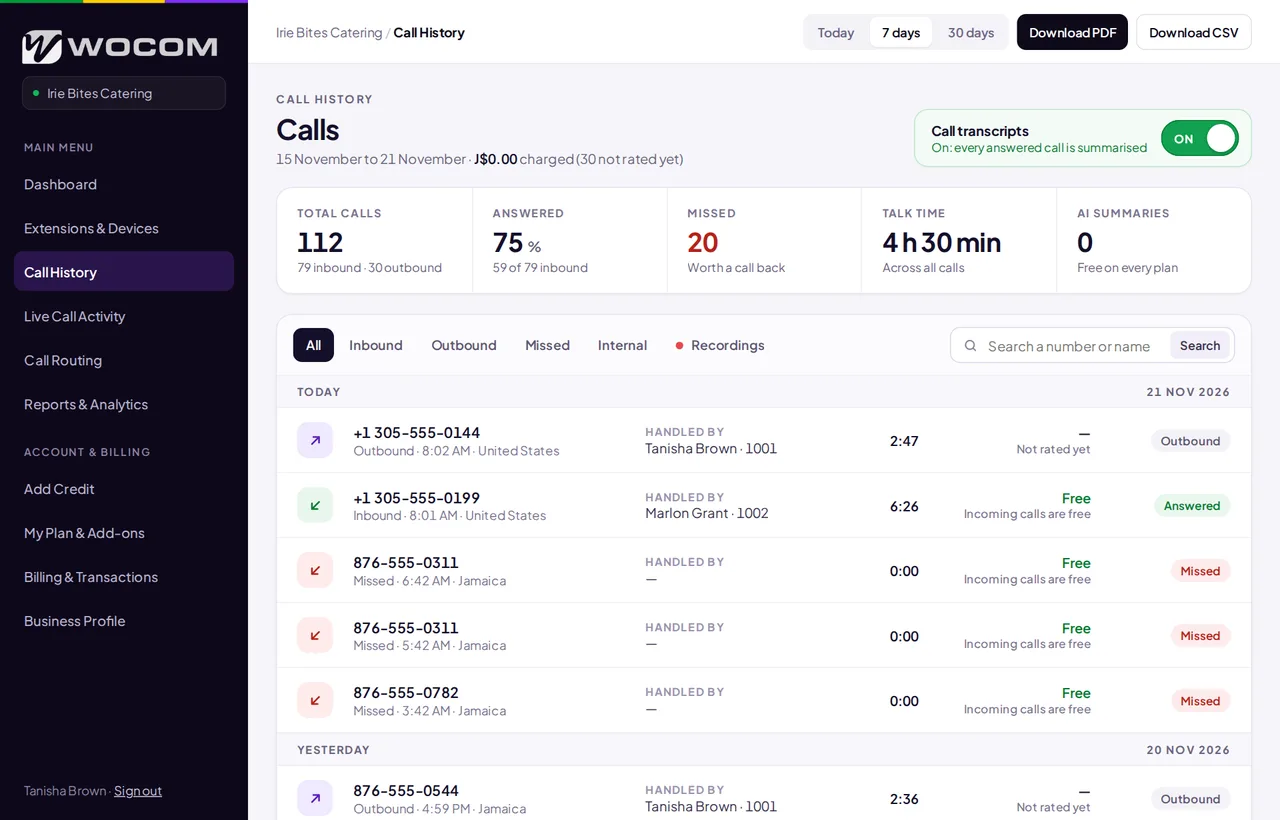
Call history, with answered and missed calls and who handled each one.
The call history lists every call with who handled it, how long it lasted and what it cost. Incoming calls show as free. Answered calls come with a written summary, so you can see what a customer wanted without asking your staff.
You can filter to missed calls and ring them back, and export the list to PDF or CSV for your records or your accountant.
Credit and add-ons
The portal is also where you add credit, by card or PayPal, in the amount you choose. There is no bill and no automatic charge. Optional add-ons are chosen here later if you need them: 2, 4 or 8 simultaneous calls for JMD 5,000, JMD 10,000 or JMD 20,000 every 30 days, call recording for JMD 10,000 and an AI receptionist for JMD 10,000. They are paid from your credit, can be cancelled any time, and tax may apply.
What you need to get in
WOCOM Business launches on Wednesday 23 December 2026, and you can claim your free spot now. You sign in to the portal with a Jamaican mobile number starting 876 or 658. The portal asks for your TRN, a valid government-issued ID and a quick face photo, and outgoing calls are switched on once the ID is approved. You keep your number by topping up at least once every 60 days.
The portal is half of the system. The other half is the app your team answers on, covered in the WOCOM Prepaid app tour. For everything in the free plan, see the free 876 business number with no credit card.
Frequently Asked Questions
Do I need a technician to change how my calls ring?
No. You set your welcome recording, opening hours and who rings from the portal, and you can change it in seconds.
Can I see how many calls my business missed?
Yes. The dashboard shows calls missed today, and the call history can be filtered to missed calls so you can ring them back.
Can I download my call records?
Yes. The call history exports to PDF or CSV, and the dashboard report downloads as a PDF.
Are call summaries an extra charge?
No. Every answered call is written up and summarised, free on every plan.
Claim your free WOCOM Business line. Free 876 number, free calling credit, no card needed. Launching Wednesday 23 December 2026. Questions? Call 876-906-7240 or write to support@wocomja.com.
Continue exploring
Ready to upgrade your communications?
Talk to our team about the right solution for your business.
Book a Demo Contact SalesEverett Kildare is WOCOM's voice and infrastructure specialist, with more than 25 years of experience designing and running carrier-grade voice, SIP and virtualization infrastructure. Holding a BSc in Information Technology, he has built, secured and migrated phone systems for businesses of every size. Everett writes WOCOM's technical coverage of SIP trunking, cloud PBX, contact centres, business continuity and migration.