Help Center
How Can We Help You?
Video tutorials, visual guides, and documentation for WOCOM AI, Cloud PBX, and SIP Trunk services.
🌐 WocomHub Platform Guide
WocomHub is your central control panel for managing every aspect of your Cloud PBX — extensions, call routing, reports, messaging, and AI features. Use the side menu to jump to any topic.
🔐 Logging In
Open https://www.wocomja.com/login.php in any modern browser (Chrome, Edge, Safari, Firefox) and sign in with the email and password issued by WOCOM. After login you land on the WocomHub Dashboard.
- Forgot password? Use the "Forgot Password" link on the login page or contact WOCOM support.
- Two-factor authentication: if 2FA is enabled on your account, enter the OTP from your authenticator app to complete sign-in.
- Multiple users: each team member should sign in with their own credentials — never share accounts.
📊 Dashboard
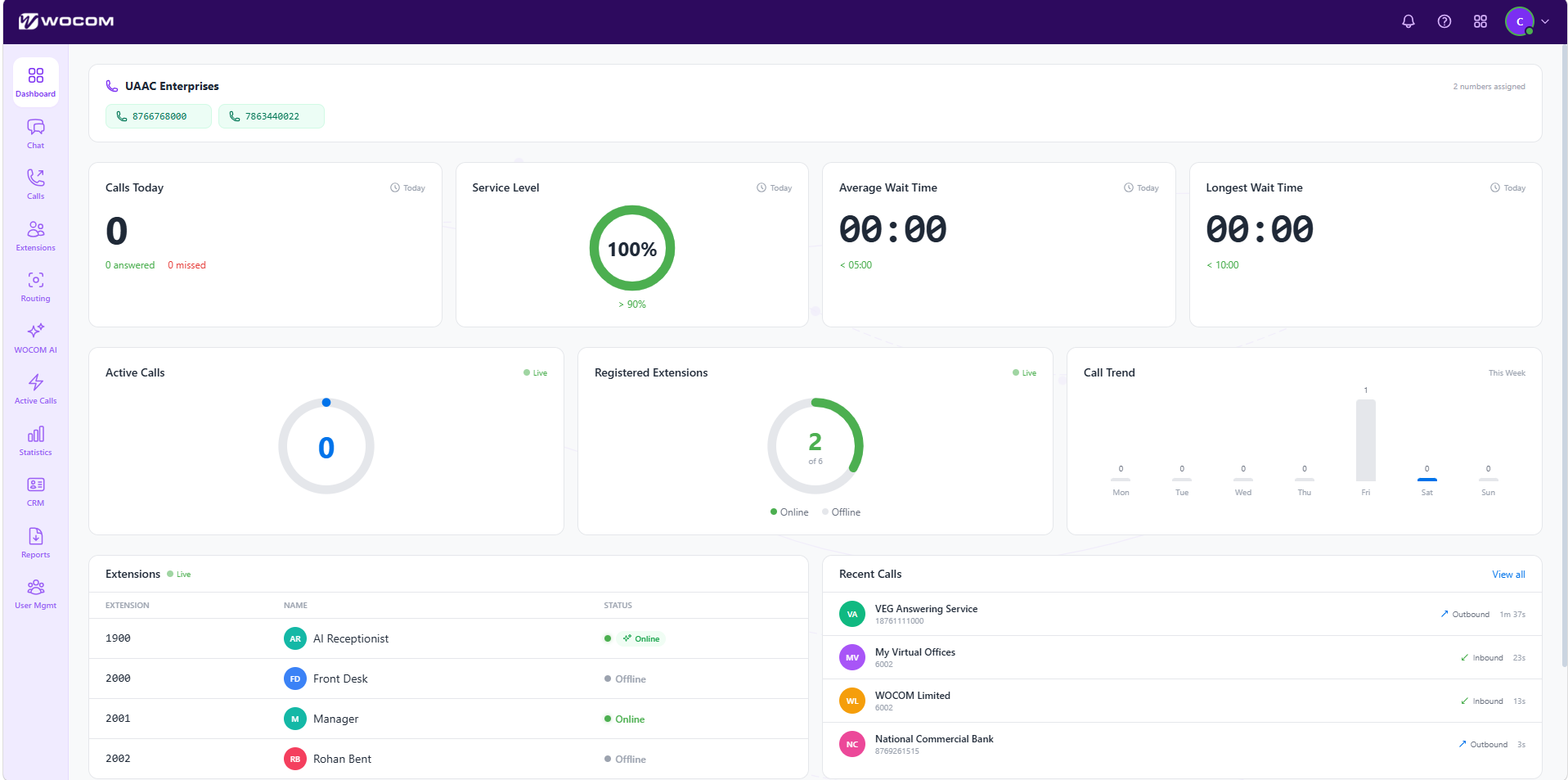
The Dashboard is your at-a-glance overview of activity across the account. Use it to spot trends, jump into any module, and verify that the system is healthy.
- KPI widgets: total calls, answered/unanswered ratios, average call duration, active extensions.
- Charts: call volume by hour, peak periods, top departments, and inbound vs. outbound mix.
- Quick actions: click any card to drill straight into the matching report.
- Left sidebar: the persistent navigation to every module — Extensions, Routing, Reports, Chat, SMS, AI, CRM, and Settings.
👥 Extensions
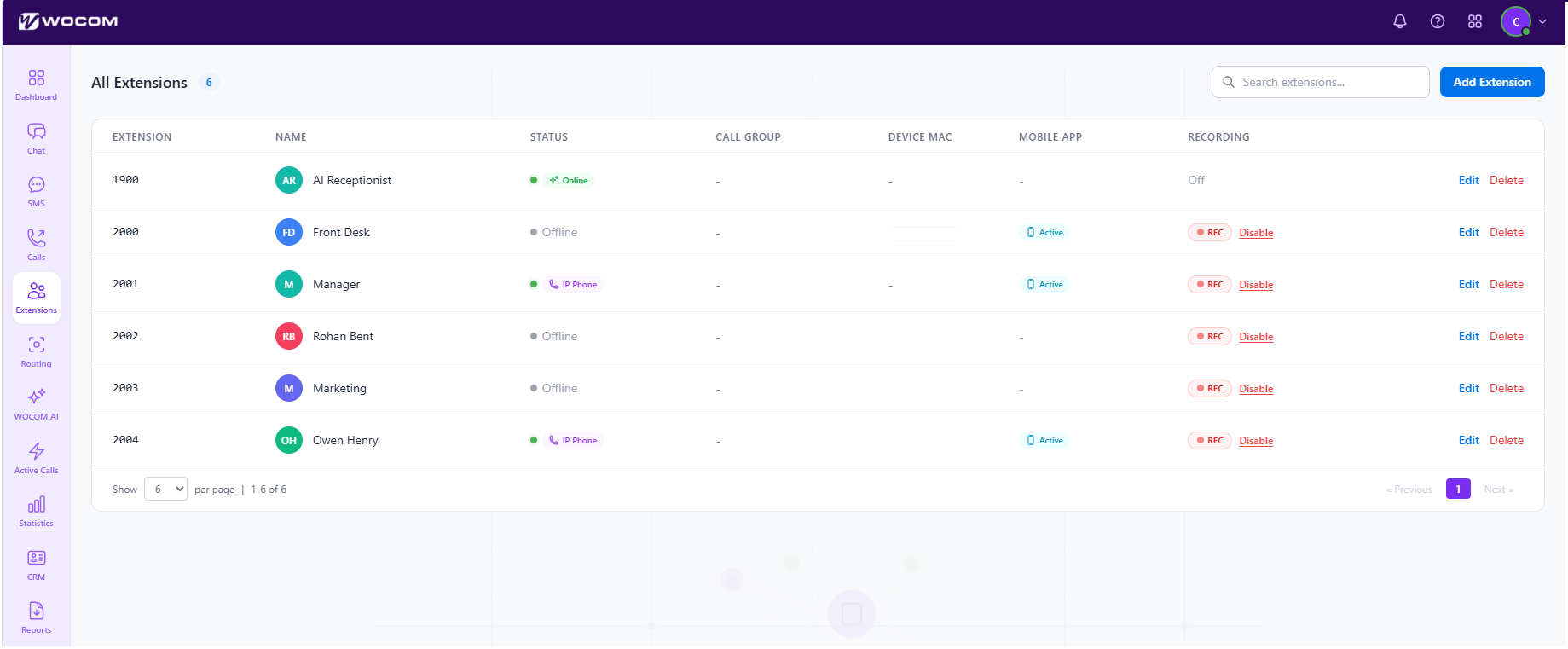
Manage every user, desk phone, softphone, and ring group on your account. Each extension corresponds to a person or device that can make and receive calls.
- Add Extension: click + Add, then set the extension number, display name, email, password, and assigned device.
- Edit a row: click any extension to update voicemail PIN, call-forwarding rules, caller ID, or hardware assignment.
- Status indicator: green dot = registered and online, grey = offline or unregistered.
- Bulk operations: select multiple rows to enable/disable, toggle DND, or export to CSV.
- Reset device: use the row menu to send a reprovision command to a desk phone without rebooting it manually.
🔀 Call Routing
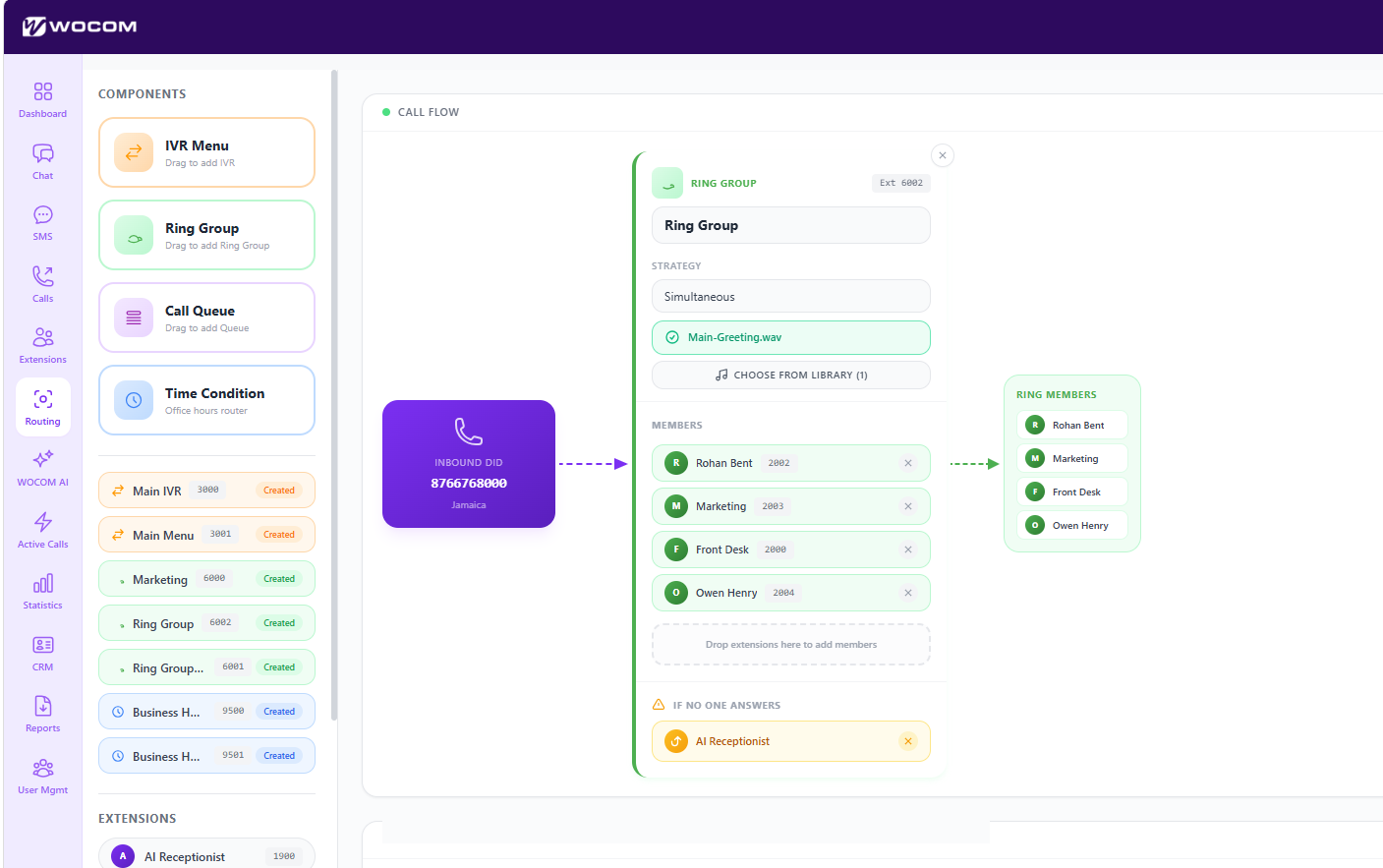
Define how inbound calls flow through your system — from auto-attendant menus to ring groups, time-of-day rules, and voicemail fallbacks. This is where the customer experience is shaped.
- Inbound numbers: assign each DID/business number to a starting destination (extension, ring group, or IVR).
- IVR menus: build "Press 1 for Sales, 2 for Support" trees with custom recorded prompts.
- Time conditions: route calls differently during business hours, after hours, public holidays, or lunch breaks.
- Ring groups: hunt-style (one phone at a time) or simultaneous ring across multiple extensions.
- Failover: set what happens if no one answers — voicemail, mobile forward, or AI receptionist.
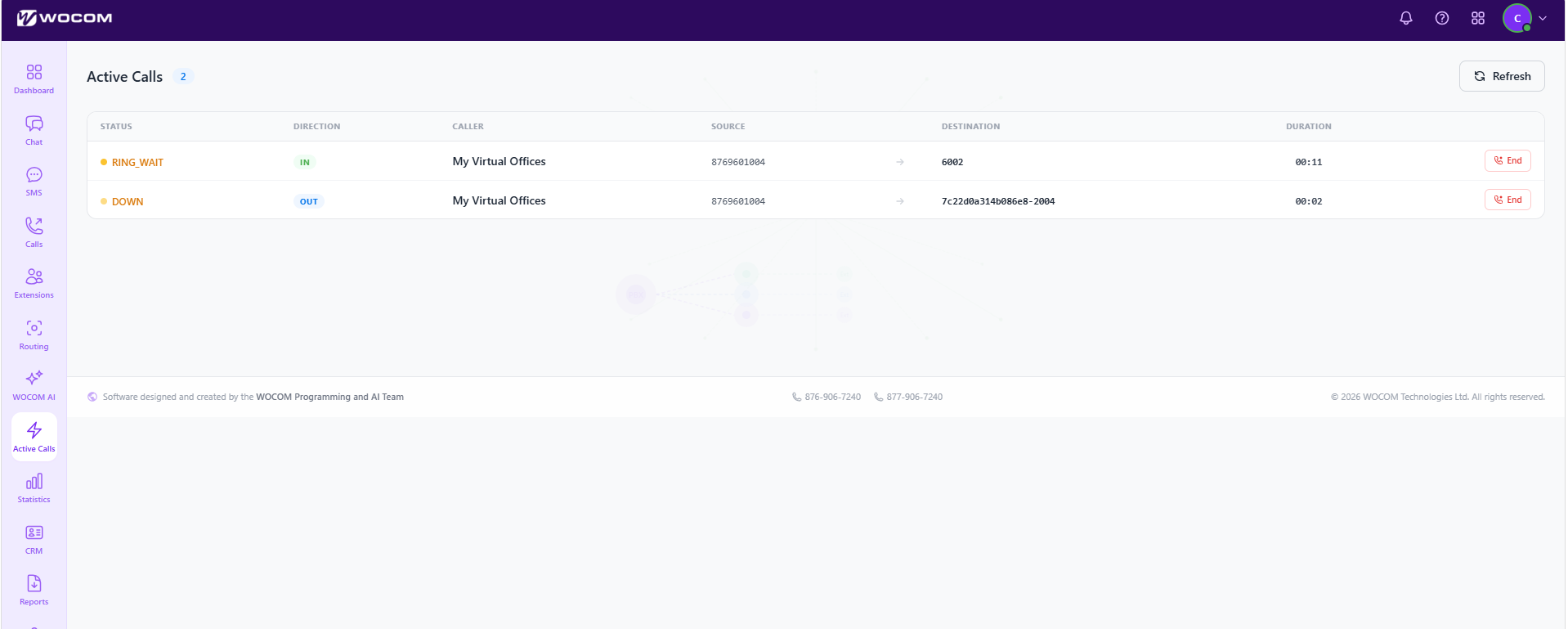
🟢 Live Call Panel
The Active Call Panel shows every call happening on your system right now — who's talking, for how long, on which device, and from where.
- Live monitor: see calls in real time as they connect, ring, hold, or transfer.
- Whisper / Barge / Listen: supervisors can silently listen, speak only to the agent, or join the call (where permitted by your role).
- End or transfer: intervene from the panel without disturbing the agent's headset.
- Filter: narrow the view to a specific queue, extension, or department.
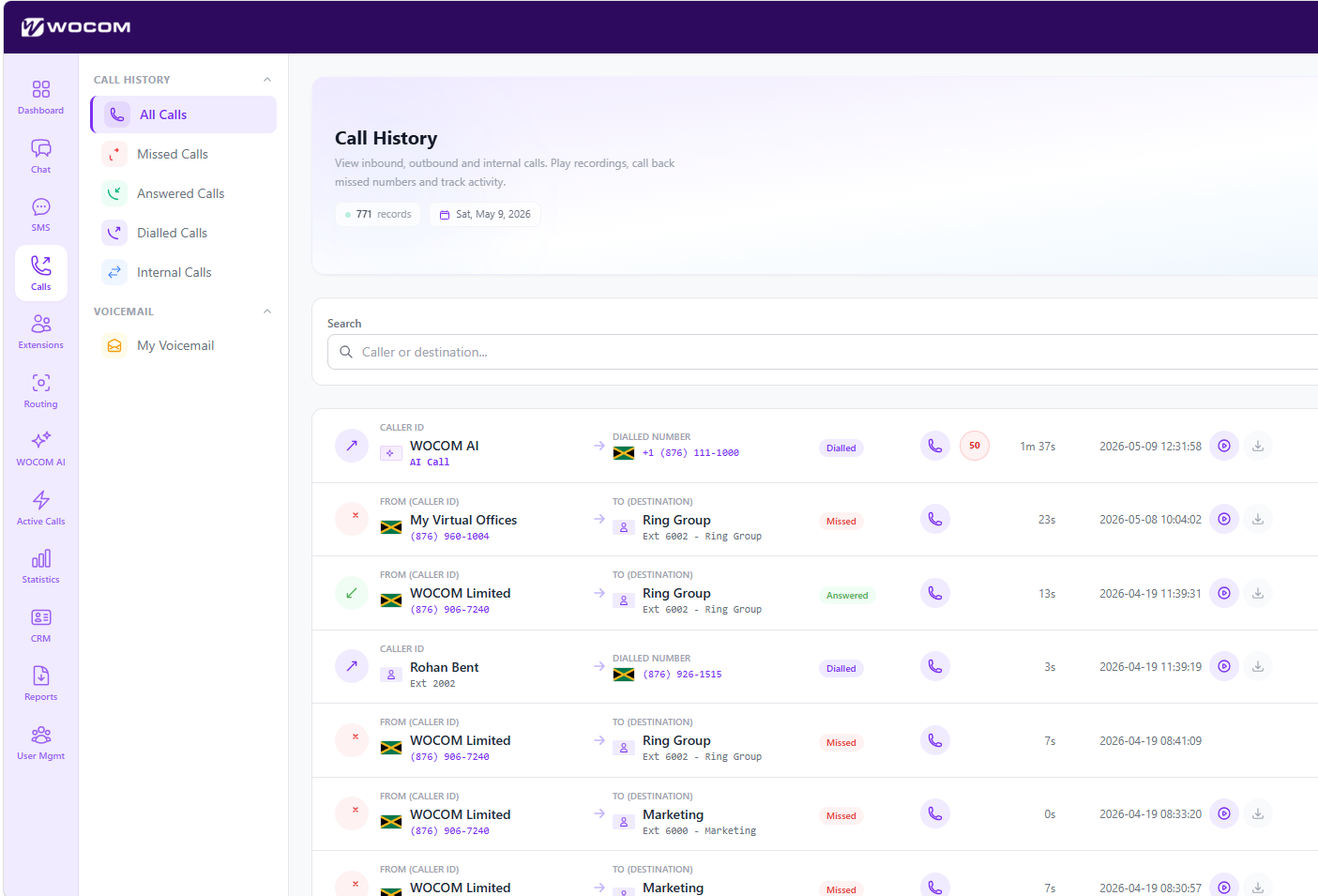
📜 Call History
Every inbound, outbound, and missed call is logged here with full metadata. Use it to investigate disputes, find a number, or replay a recording.
- Search and filter: by date range, number, extension, direction, or duration.
- Playback: click the play icon next to any call to listen to its recording (if recording is enabled).
- Download: export a recording as MP3 or the entire log as CSV.
- Notes: attach internal notes to a call for follow-up or compliance.
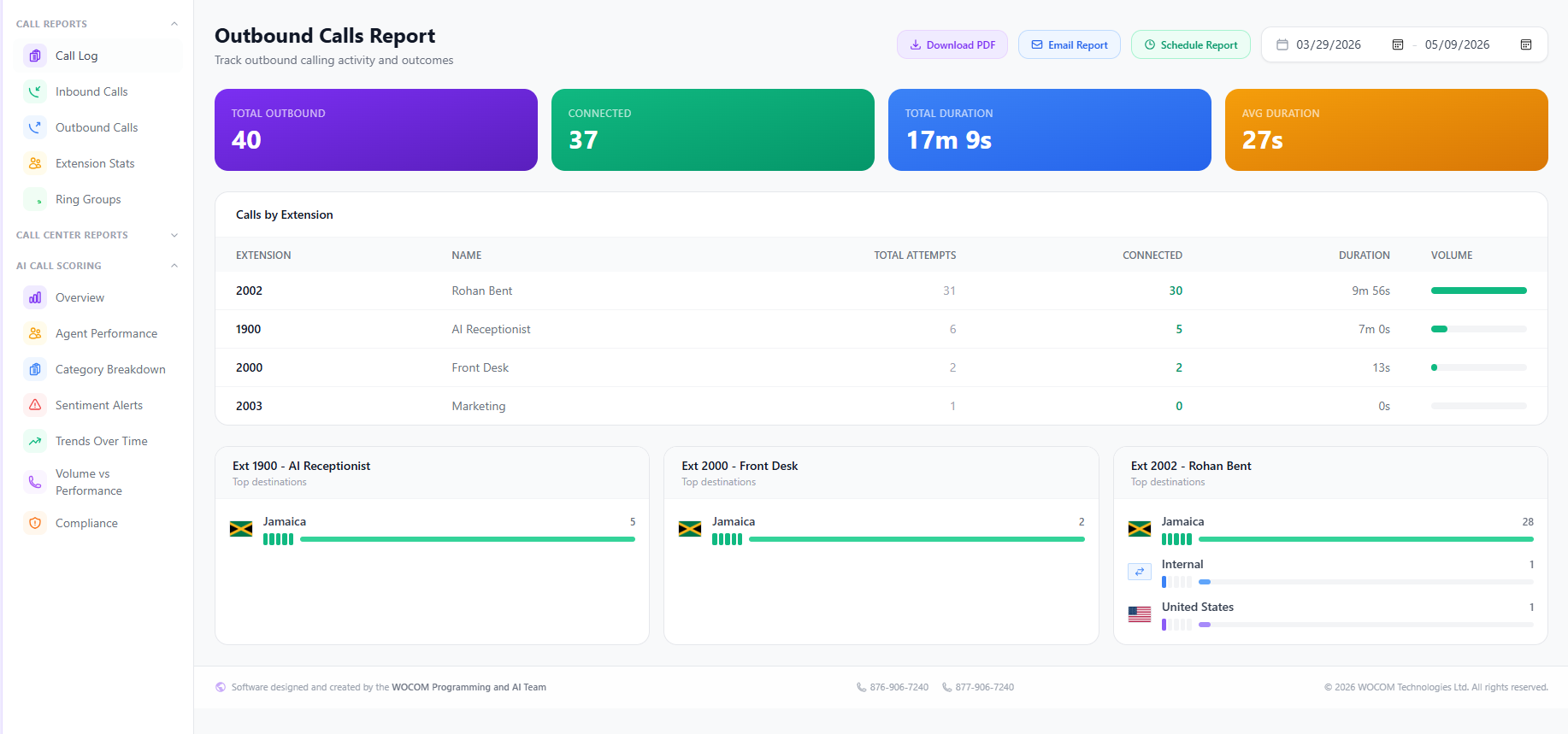
📈 Call Reports
Pre-built analytics on call volume, agent performance, queue stats, and trends. Export anything to share with leadership or schedule recurring email reports.
- Volume reports: calls by hour, day, week, or month — spot peak periods.
- Agent performance: talk time, calls handled, average handle time, missed calls per agent.
- Queue / IVR analytics: abandonment rate, average wait, and IVR menu paths your callers actually take.
- Date ranges and comparisons: compare this week vs. last week or this month vs. the same month last year.
- Export: CSV, PDF, or scheduled email delivery.
📝 Call Transcription
Recorded calls are automatically transcribed by AI so your team can read the conversation, search across thousands of calls instantly, and pull quotes for training or compliance.
- Searchable transcripts: type a keyword and find every call where it was said.
- Speaker labelling: agent vs. caller turns are split for easy reading.
- Highlight + share: select any portion of the transcript and share it with a teammate or attach to a CRM record.
- Translation: view non-English calls translated alongside the original transcript.
💬 Chat
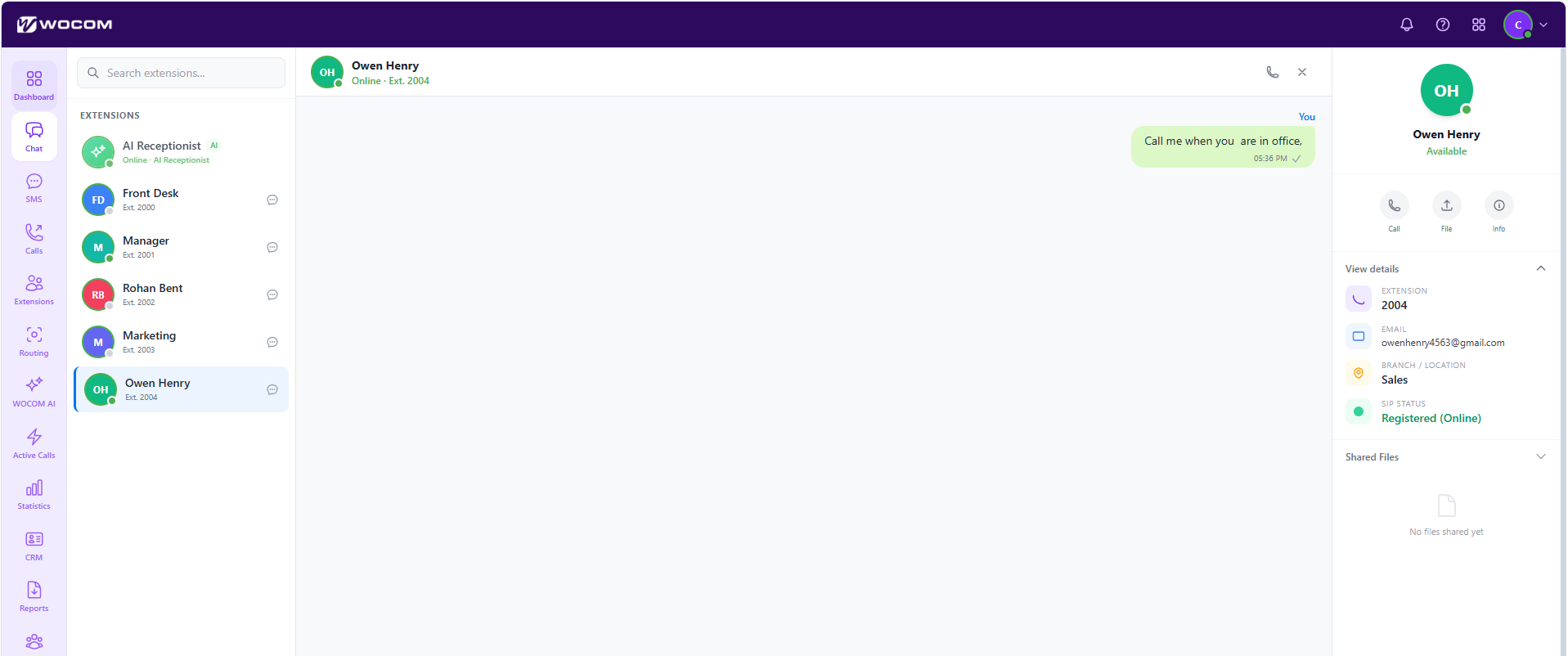
Internal team chat lives inside WocomHub so conversations about calls, customers, and shifts stay close to the work. Direct messages, group channels, and file sharing in one place.
- Channels: create channels for departments (Sales, Support, Operations) or projects.
- DMs: message any extension or user one-to-one.
- Files and screenshots: drag-and-drop into a chat to share.
- Notifications: control which channels notify you on desktop or via the mobile app.
📱 SMS
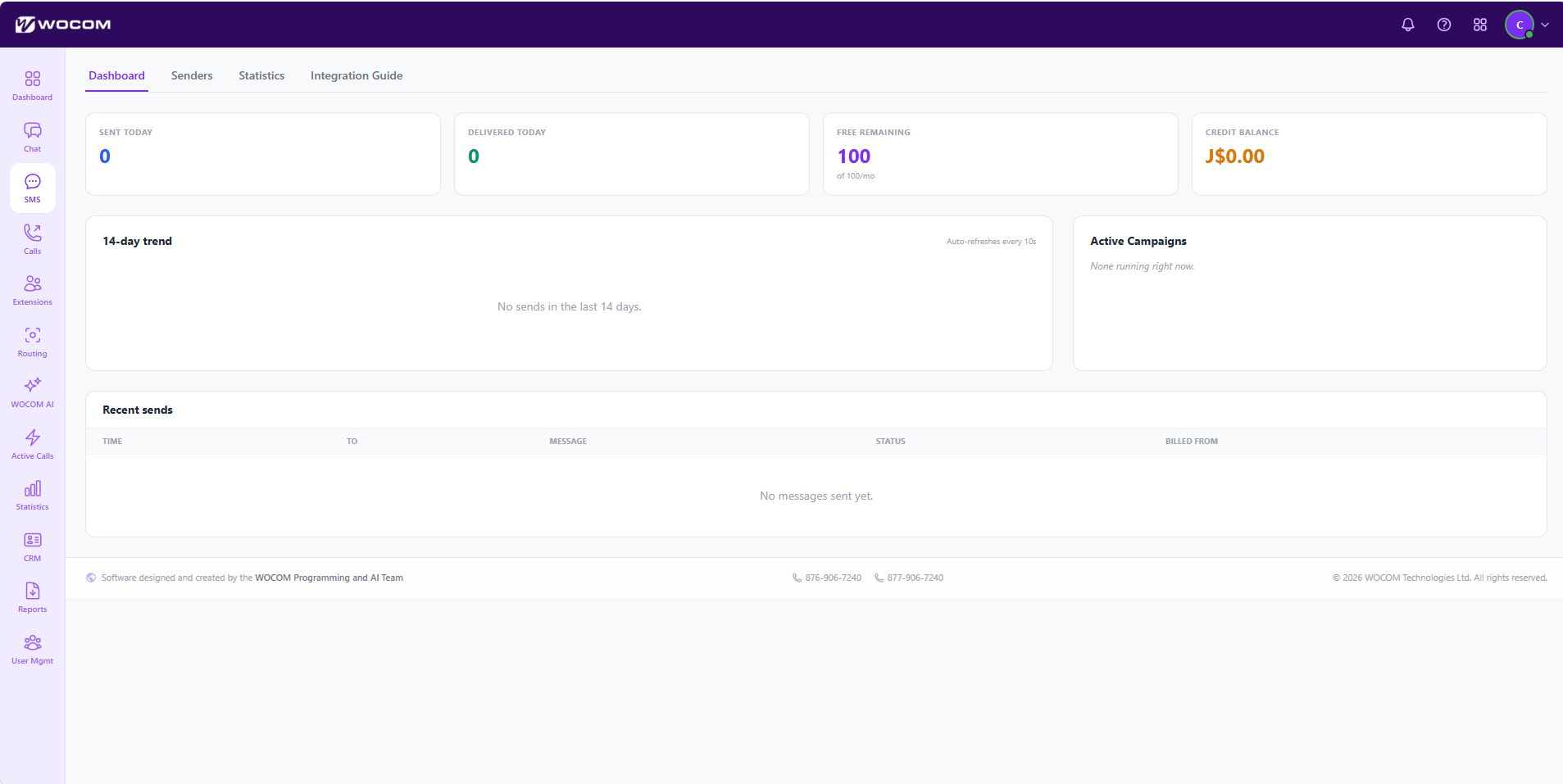
Send and receive business SMS from your WOCOM number. One conversation thread per customer — your whole team sees the full history regardless of who replies.
- Send messages: compose a new SMS to any Jamaican or international number.
- Threaded inbox: incoming messages group by contact, like a chat app.
- Templates: save reusable replies for common questions (hours, directions, pricing).
- Bulk SMS: blast announcements or appointment reminders to a contact list (subject to opt-in rules).
🔌 SMS Integrations
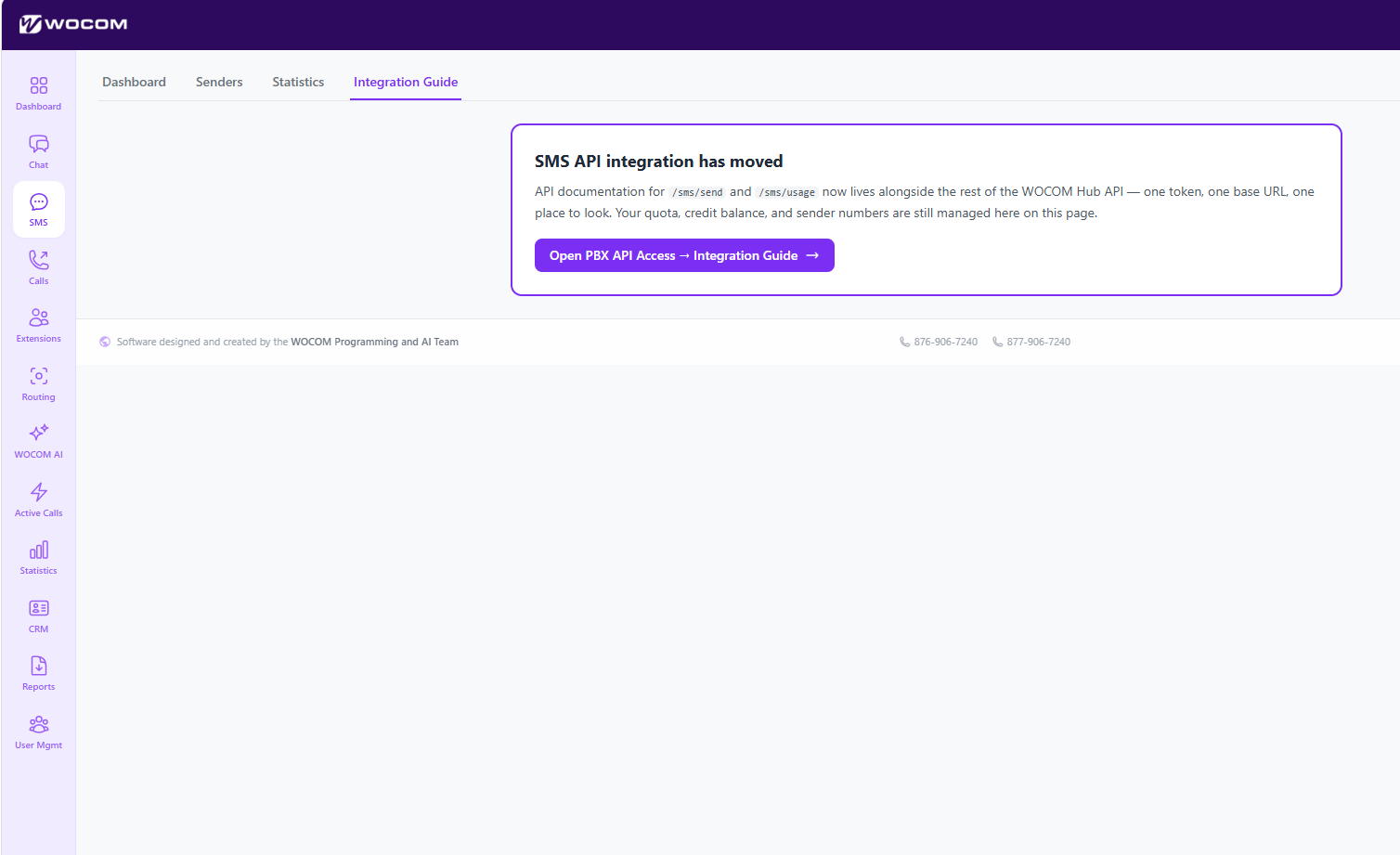
Connect SMS to the tools your team already uses — CRMs, helpdesks, and booking systems — so messages auto-log and trigger workflows.
- Native integrations: HubSpot, Salesforce, Zoho, Pipedrive, Calendly, and others.
- Webhooks: push every inbound or outbound SMS to your own endpoint for custom automation.
- Auto-reply rules: trigger an automatic reply based on keyword, number, or time of day.
- Two-way sync: messages sent from your CRM appear in WocomHub and vice versa.
🤖 WOCOM AI
The AI hub manages your AI receptionist (Alex), call scoring, sentiment analysis, and compliance automation. From here you configure agent behaviour, knowledge base, and which calls get analysed.
Included allowance: every client account receives 250 AI minutes per month. Track your usage from the Usage & Minutes panel — minutes refresh on the first of each calendar month.
- AI agents: create or edit your AI receptionist — pick a voice, write the greeting, define the FAQ.
- Knowledge base: upload PDFs, paste website content, or sync a Google Drive folder so the AI can answer specific business questions.
- Call routing: decide which inbound calls Alex handles directly vs. forwards to a human.
- Usage and minutes: track AI minutes consumed against your 250-minute monthly allowance.
✨ AI Receptionist
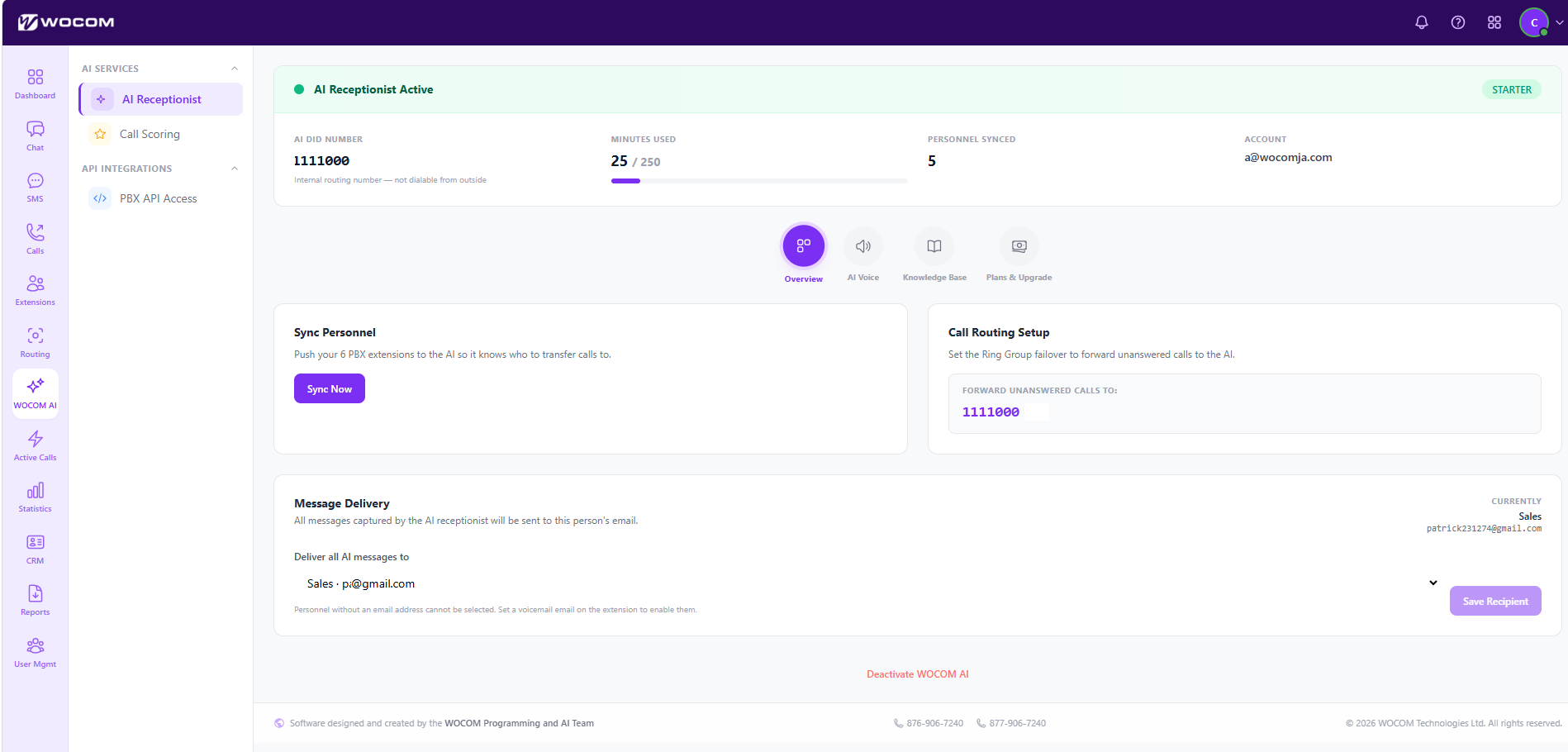
The AI Receptionist module is where you configure the AI agent (Alex) that answers your inbound calls. The status bar at the top of every tab shows whether the receptionist is active and your live usage at a glance.
- AI Receptionist Active: green pill confirms the AI is live on your number. The plan tag (Starter / Pro / Max) is shown on the right.
- AI DID Number: the internal routing number Alex listens on — not dialable from outside; calls reach it via your inbound call routing.
- Minutes Used: live counter (e.g. 25 / 250) showing this month's consumption against your plan allowance.
- Personnel Synced: count of team members the AI knows about — names, departments, and extensions for accurate transfers.
- Account: the WOCOM account the AI Receptionist is attached to.
Four tabs sit below the status bar: Overview, AI Voice, Knowledge Base, and Plans & Upgrade.
📚 Knowledge Base
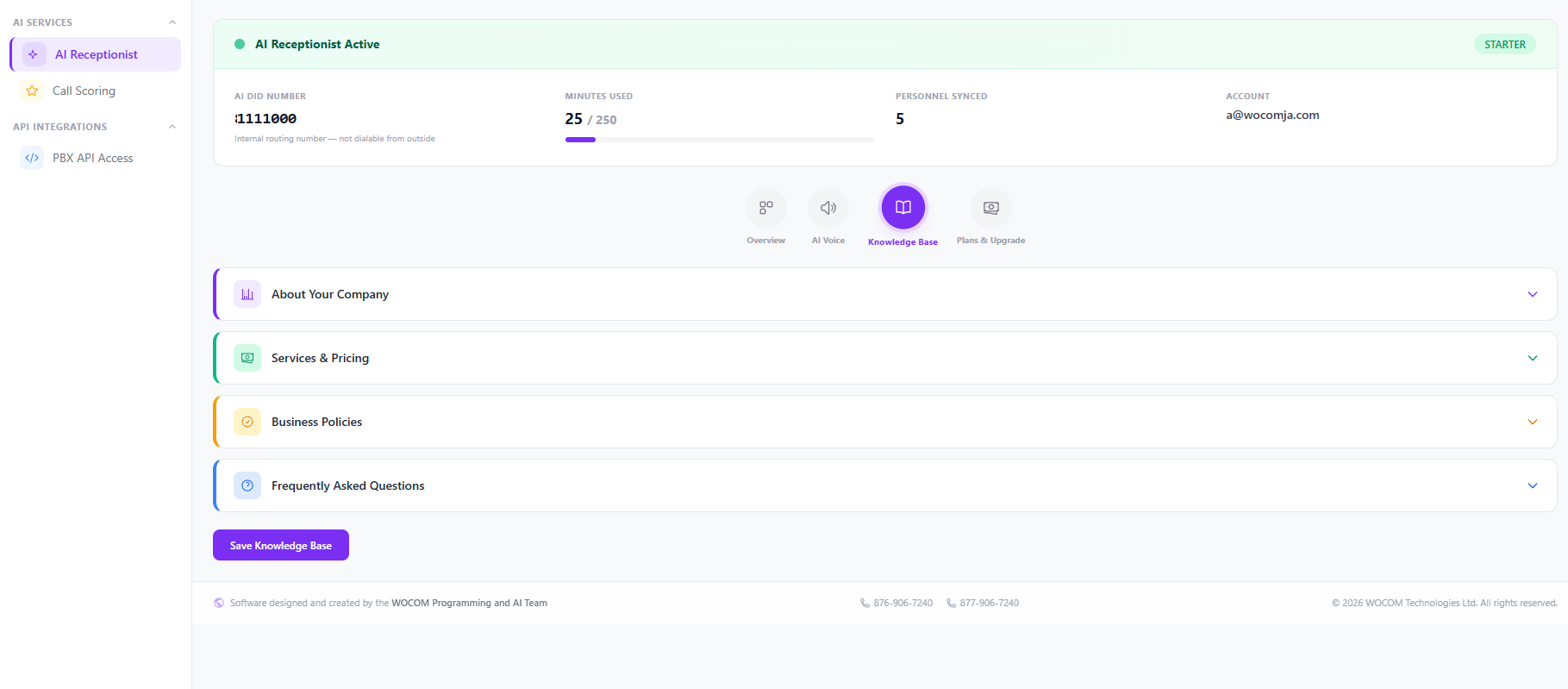
Tell Alex about your business so it can answer caller questions accurately. Each section is collapsible — expand, fill in the fields, and click Save Knowledge Base.
- About Your Company: business name, what you do, key locations, opening hours, and tone of voice for the agent.
- Services & Pricing: the products and services you offer, with prices Alex can quote on a call.
- Business Policies: appointment cancellation, returns, refund rules, and any compliance language Alex must use.
- Frequently Asked Questions: the common questions callers ask and the exact answers you want Alex to give.
🔊 AI Voice — Personalize Your Agent
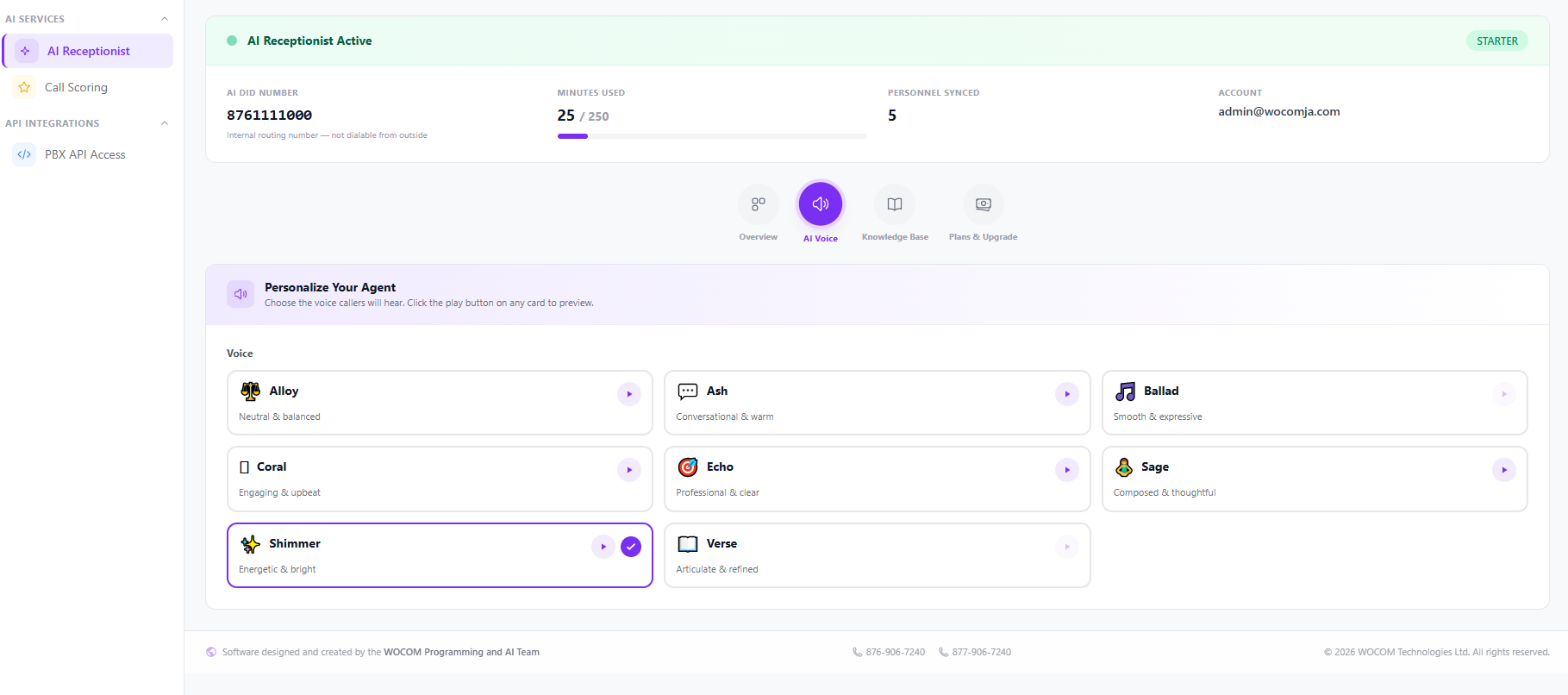
Choose the voice your callers will hear. Click ▶ on any card below to preview the voice. In WocomHub, the active voice is marked with a purple border and a check mark.
Ballad (smooth & expressive), Coral (engaging & upbeat), and Verse (articulate & refined) are also available in WocomHub — log in to preview those voices.
💎 Plans & Upgrade
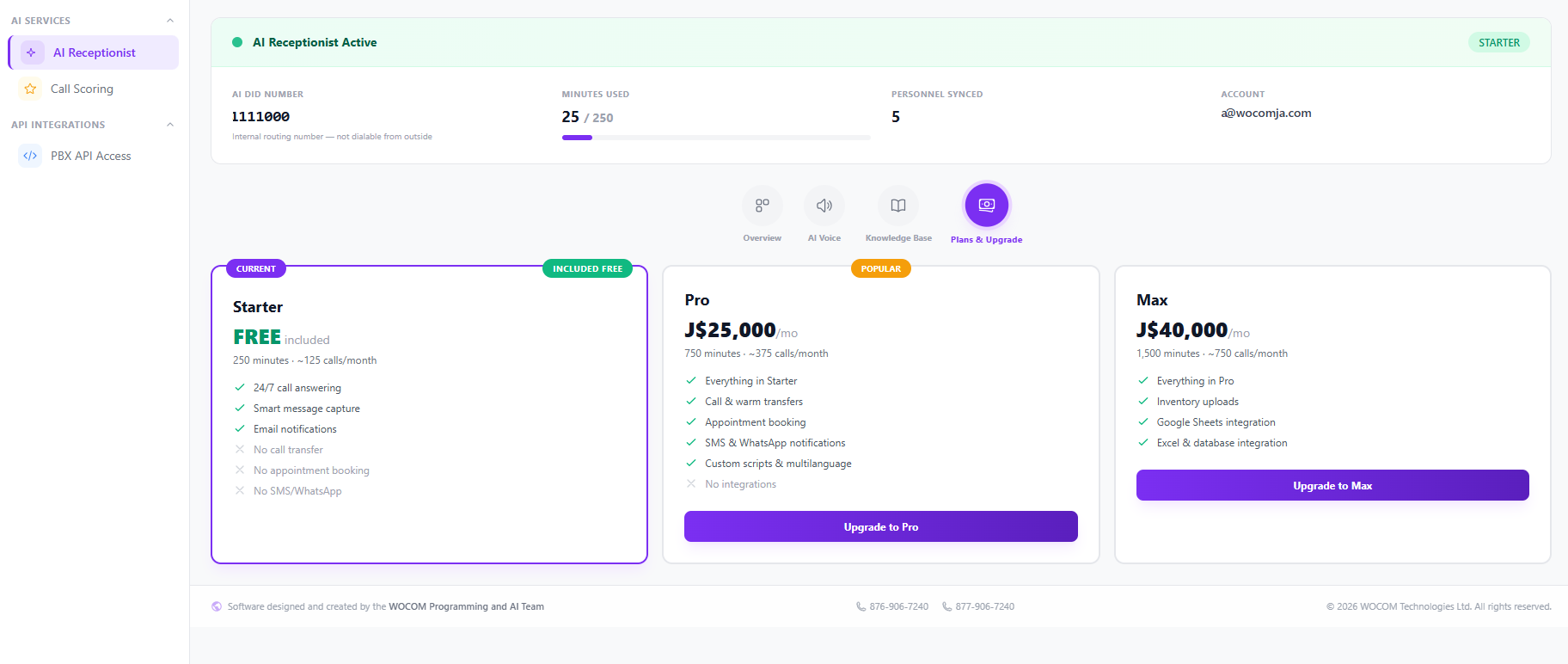
Compare your current allowance against the upgrade tiers. Your active plan is marked CURRENT; upgrade buttons are one click away.
- Starter — FREE included: 250 minutes (~125 calls/month). 24/7 call answering, smart message capture, email notifications. No call transfer, appointment booking, or SMS/WhatsApp.
- Pro — J$25,000/mo: 750 minutes (~375 calls/month). Everything in Starter plus call & warm transfers, appointment booking, SMS & WhatsApp notifications, and custom scripts & multilanguage.
- Max — J$40,000/mo: 1,500 minutes (~750 calls/month). Everything in Pro plus inventory uploads, Google Sheets integration, and Excel/database integration.
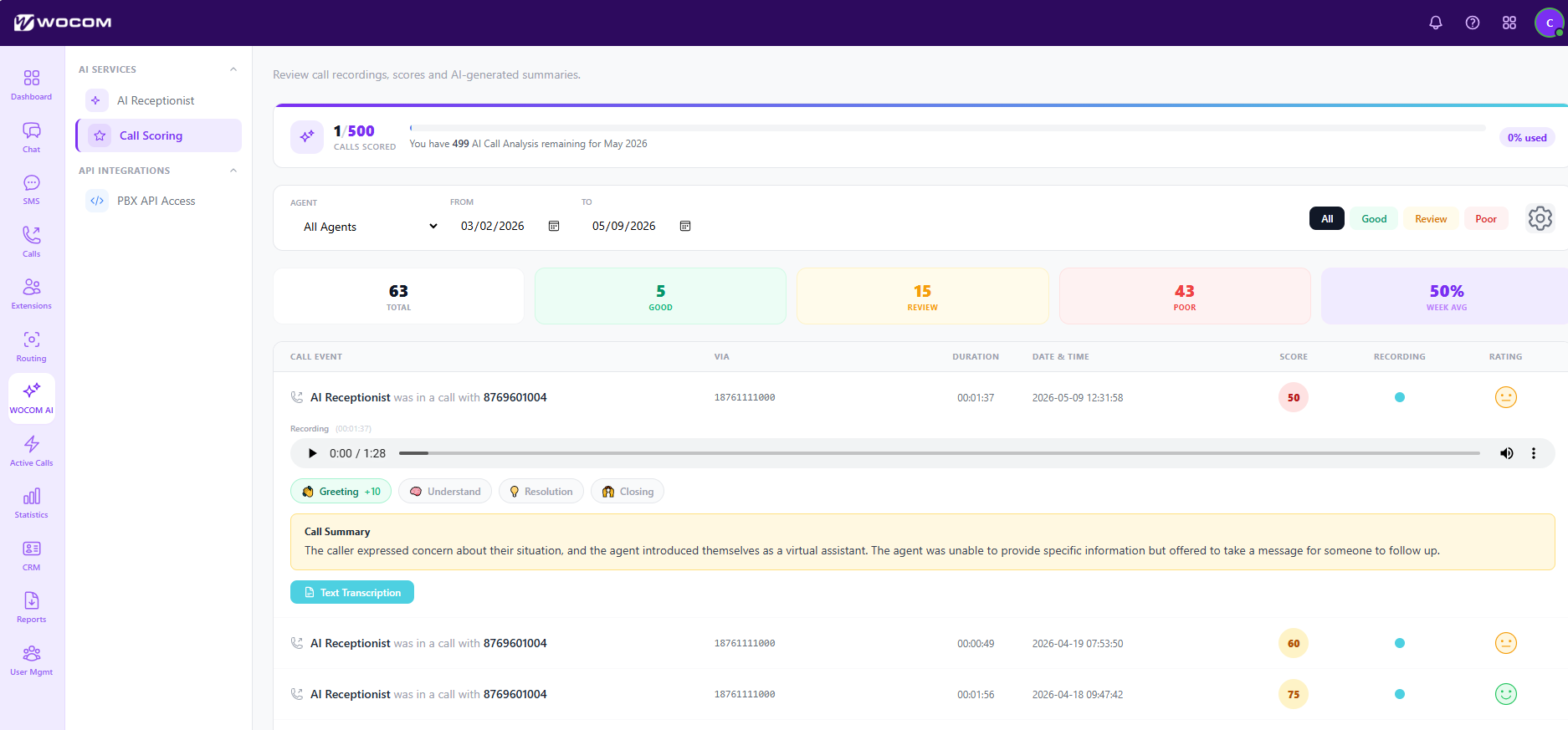
⭐ AI Call Scoring
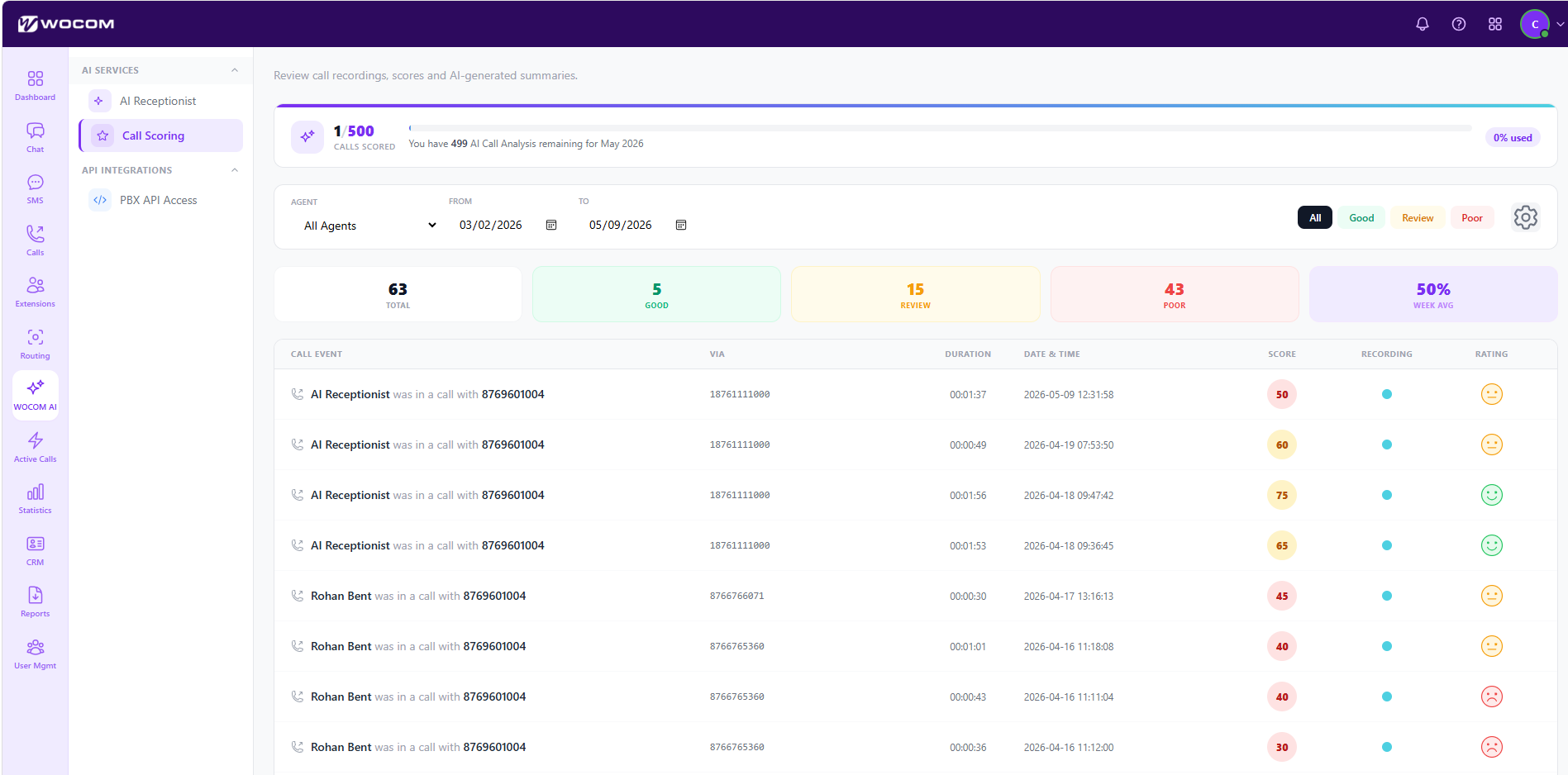
Every recorded call can be scored automatically against a rubric you define — greeting, discovery, objection handling, closing, compliance. No more spot-checking; review every call at scale.
- Score view: calls listed with overall score, category breakdown, and a clickable transcript.
- Custom rubrics: define your own categories and weightings for sales, support, or compliance teams.
- Coaching markers: AI flags exact moments where the agent excelled or could improve.
- Filters: by agent, queue, score range, or date.
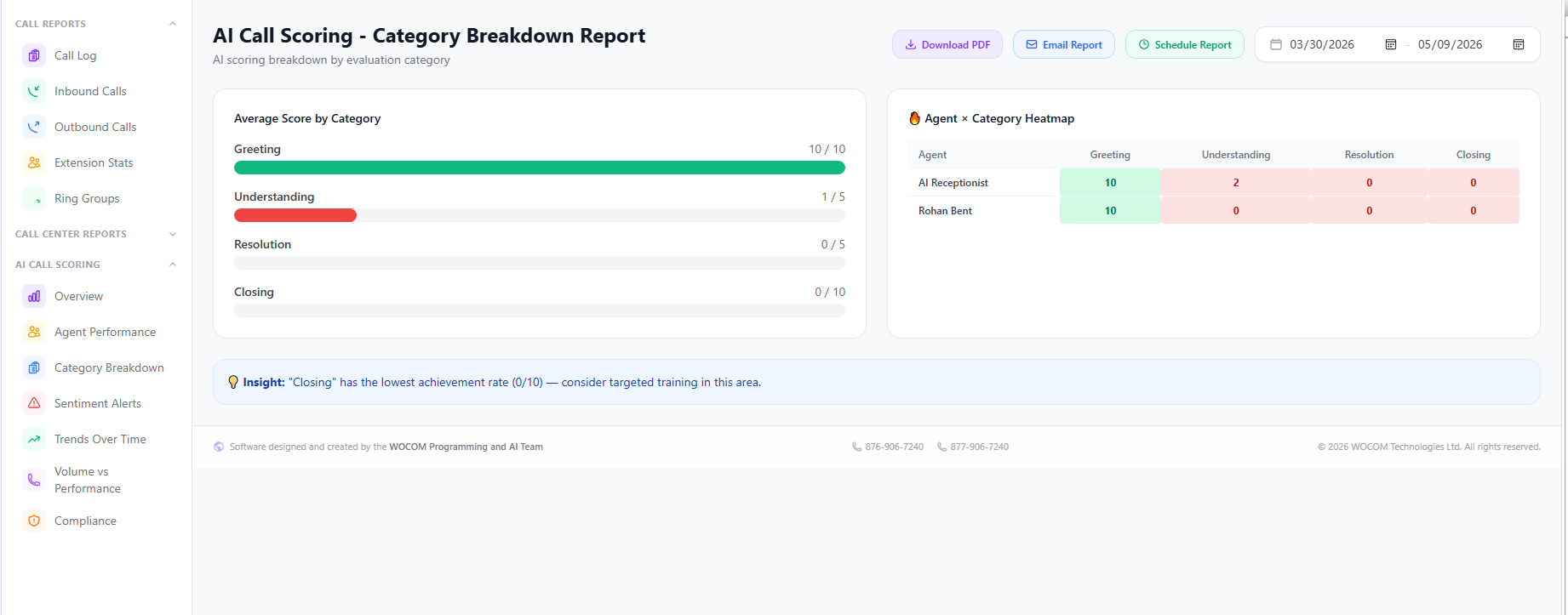
📊 AI Call Scoring — Category Breakdown Report
Aggregate view of how your team is performing across every category in your scoring rubric. Use this to identify training gaps before they cost you customers.
- Per-category scores: averages across the team for greeting, empathy, product knowledge, etc.
- Agent leaderboard: highlight top performers and those who need support.
- Trend lines: watch scores improve (or slip) week over week.
- Drill-down: click any cell to jump to the calls behind a specific score.
🛡️ AI Compliance Report
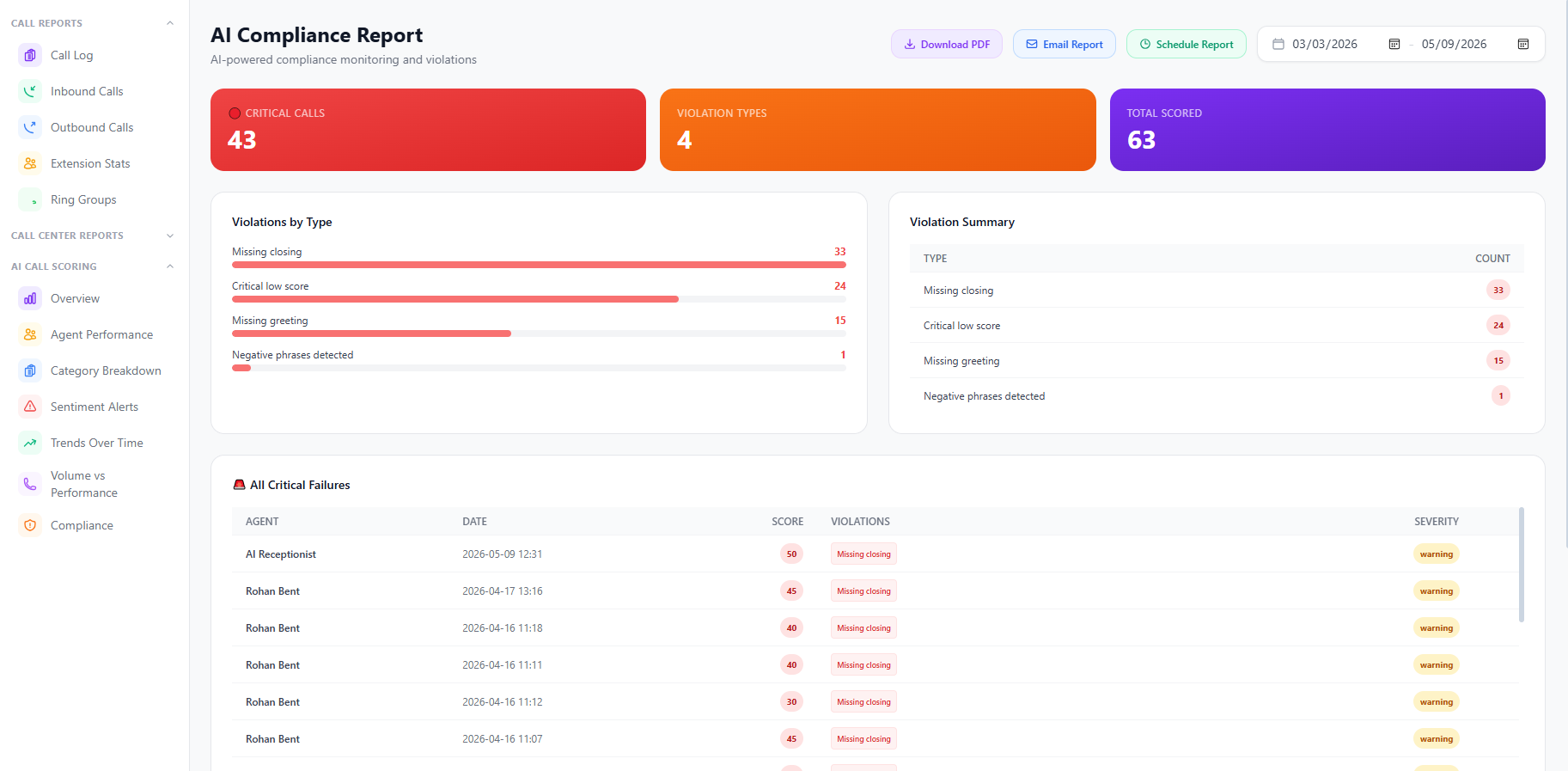
Make sure every call meets the disclosures, scripts, and consent rules your industry requires. The compliance report flags missed disclosures and high-risk language automatically.
- Compliance categories: required disclosures, prohibited claims, recording-consent confirmation.
- Pass / fail per call: instantly see which calls cleared compliance and which need review.
- Evidence: jump straight to the transcript timestamp where a rule was breached.
- Audit export: download the report for regulators, legal, or quality assurance.
😡 Sentiment Alerts
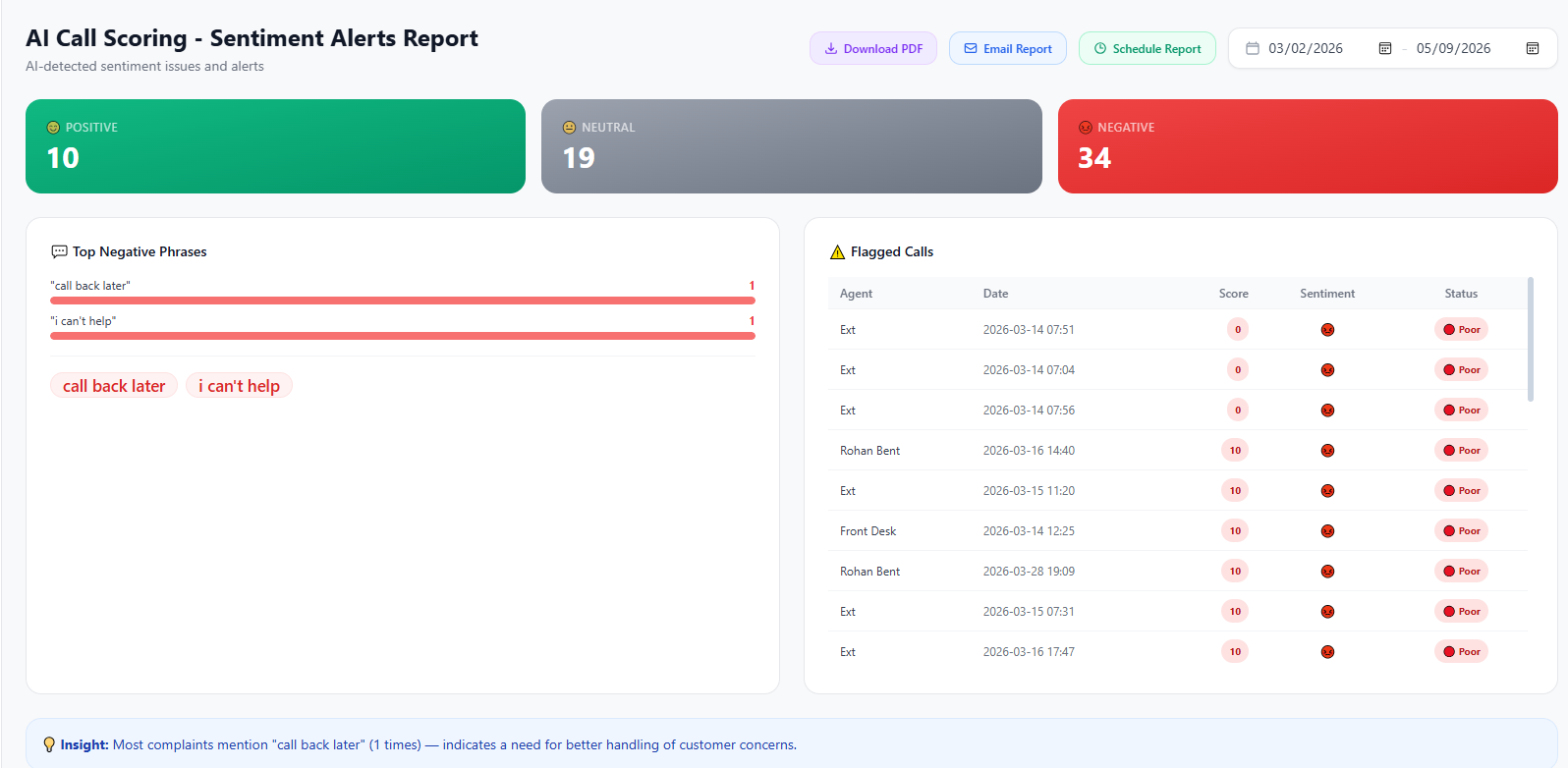
Get notified the moment a call goes negative — angry caller, frustrated customer, escalation language — so a supervisor can intervene before a relationship is lost.
Included allowance: every client account receives 500 AI sentiment call analyses per month. The counter resets on the first of each calendar month.
- Real-time alerts: push notifications to supervisors on desktop or mobile.
- Sentiment timeline: see exactly when a call shifted from neutral to negative.
- Custom thresholds: tune sensitivity per queue or campaign.
- Recovery workflow: automatically open a follow-up task in CRM for any call that ended negatively.
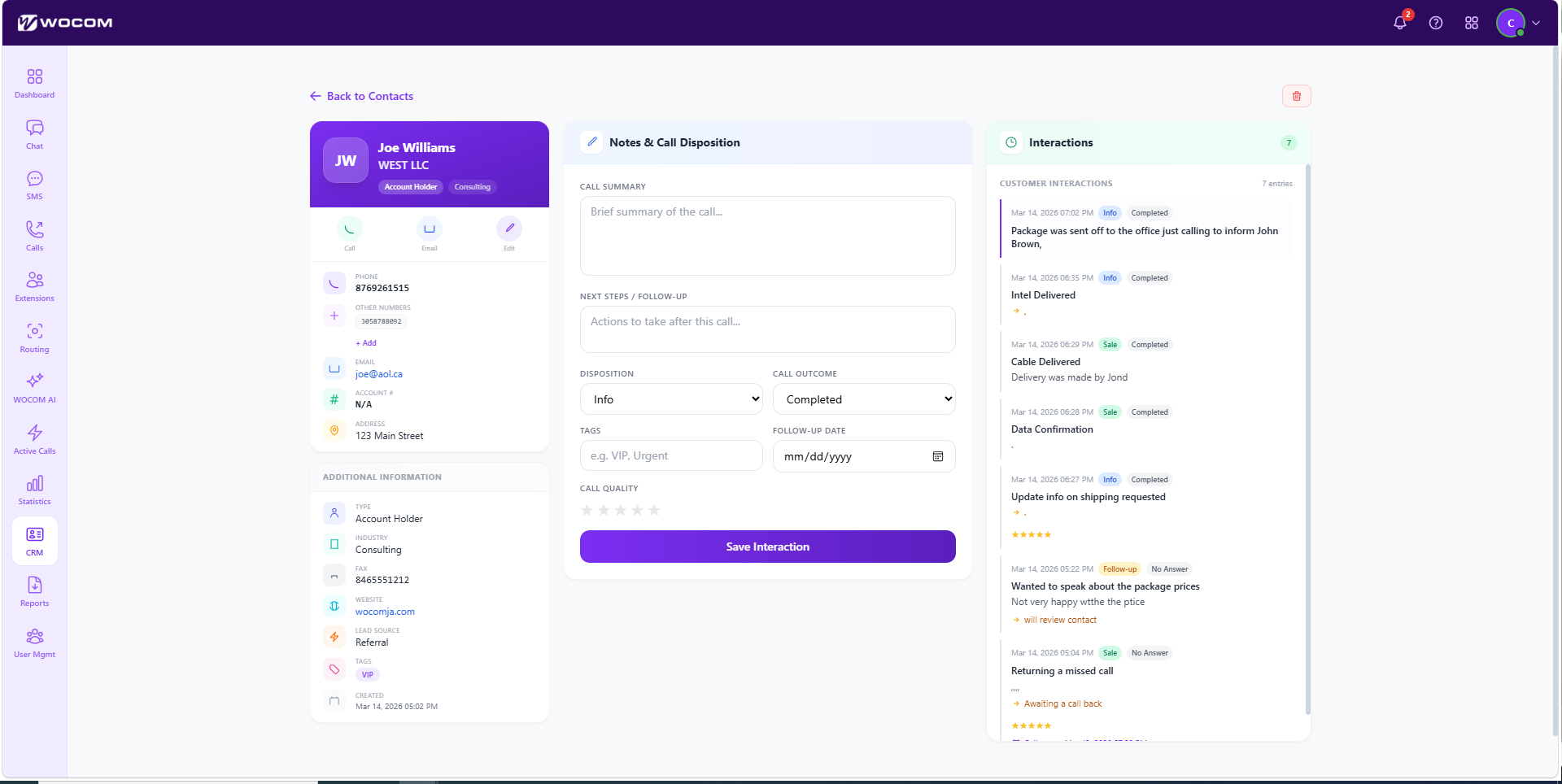
👤 WOCOM Built-in CRM
A lightweight CRM built right into WocomHub. Capture every caller as a contact, log conversation history automatically, and manage simple sales pipelines without paying for a separate tool.
- Contacts: auto-created from inbound and outbound calls — no manual data entry.
- Activity timeline: calls, SMS, emails, and notes against every contact in chronological order.
- Pipelines: track deals through stages with drag-and-drop kanban view.
- Tasks and reminders: assign follow-ups to teammates with due dates.
- Click-to-call: dial any contact straight from their record.